
UDA ConstructionOnline Review
Construction management software for builders and contractors, from estimating and scheduling to job costing and client portals
Fit Score
Fit Score
▸ How we scored UDA ConstructionOnline: 8.8/10
| Factor | Weight | Sub-score |
|---|---|---|
| Vertical fit (best trade) | 60% | 8.0/10 |
| Pricing transparency | 20% | 10.0/10 |
| Integration coverage | 20% | 10.0/10 |
Weighted composite, applied identically to every vendor; no vendor pays to change it. Full Fit Score methodology →
WrenchStack may earn a commission or a referral reward if you sign up through a tracked link on this page. The vendor pays it and we add no charge of our own. Neither is an input to the Fit Score or to how we order tools. How we make money.
Quick verdict
UDA ConstructionOnline is best for Residential builders, general contractors, remodelers and specialty contractors who want estimating, scheduling, financials, documents and client portals in one system, with unlimited users on the full plans. Pricing starts at $165.83/mo base, plus seats. Trade fit of 8/10 or higher: General Contractors. 10-day free trial available.
Reviews on review sites
We do not copy third-party review scores onto this page: they change often and we could not verify them. Read UDA ConstructionOnline's current reviews at the source.
About UDA ConstructionOnline
UDA ConstructionOnline is cloud construction management software from UDA Technologies, a company based in Auburn, Alabama. UDA says it first released software in 1999, and that its founder, Michael Stevens, came from the multifamily, commercial and custom residential construction markets. UDA says more than 950,000 construction professionals use its platforms. It sells ConstructionOnline to residential and production builders, general contractors, multifamily builders and specialty contractors such as electrical, HVAC, plumbing and roofing firms.
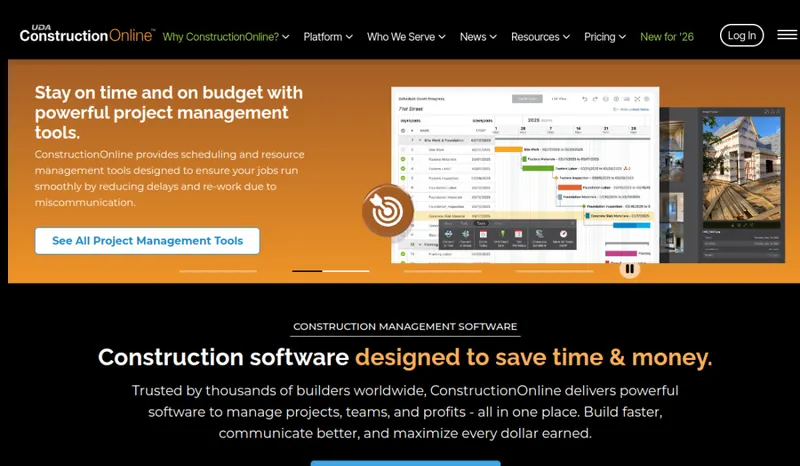
The platform covers estimating and proposals with costbooks, change orders, purchase orders, bills, invoicing and job costing; Gantt scheduling with baseline tracking; daily logs, punch lists, RFIs, submittals and time tracking; a plan room with markup; file and photo storage; and client and subcontractor portals. Redline Takeoff, UDA's on-screen takeoff tool, measures areas, counts and volumes on plans and sends the quantities into estimates. The help center says it comes with Team, Business and Enterprise subscriptions (one, three and ten licenses), not with Pro. There is a mobile app.
QuickBooks Online connects through a two-way sync: estimates, change orders and invoices go to QuickBooks, and actuals, committed costs and invoiced amounts come back for job costing. QuickBooks Desktop and PlanSwift connect through Socket, a Windows app from UDA installed on the same computer as QuickBooks. UDA also lists integrations with Docusign, Google Calendar, Microsoft Outlook 365, Google Drive, OneDrive, Dropbox, Box and HubSpot, plus an API for custom connections.
Pricing has two tracks. ConstructionOnline Basics is priced per user: the Basics pricing page lists $199 a month or $1,990 a year for the first user, plus $30 a month or $300 a year for each additional user, for 1 to 15 users. The full residential, commercial, specialty and multifamily plans are quoted based on your construction volume and the tools you need, and include unlimited users and unlimited client and subcontractor access. Enterprise starts at $36,840 a year. UDA offers a 10-day free trial and says the full plans include free onboarding and training and U.S.-based support.
The trade-off: outside Basics and Enterprise you need a sales quote to learn the price, and takeoff requires Team or higher. ConstructionOnline is built around project-based construction work (estimates, schedules, budgets, documents) rather than dispatching technicians to service calls, so service trades that run on a dispatch board may be better served by field service software.
Pricing
| Tier | Price | Notes |
|---|---|---|
| Basics | $165.83/mo | Lowest price in this table |
| Residential, Commercial, Specialty or Multifamily (quote) | See pricing note | |
| Enterprise | $3070/mo | Highest price in this table |
Basics is priced per user: the Basics pricing page lists $199 a month or $1,990 a year for the first user (shown beside struck-through $239 and $2,390), plus $30 a month or $300 a year per additional user, sold through a calculator for 1 to 15 users (more than 15: contact UDA). The headline is the yearly price divided by 12 ($165.83 a month). The full residential, commercial, specialty and multifamily plans name no plan levels on the pricing pages; they are quoted to your annual construction volume, project complexity and tools, and include unlimited users plus unlimited client and subcontractor access. Enterprise starts at $36,840 billed annually ($3,070 a month by division) and varies with product level and services. 10-day free trial. Verified against us.constructiononline.com/construction-software-basics-pricing, the residential and commercial pricing pages and us.constructiononline.com/enterprise-pricing 2026-10-08.
UDA ConstructionOnline starts at $165.83/mo base, plus seats (Basics tier). That is a base price for the account, with seats added on top (see the pricing note): spread across a 5-person team the base alone works out to about $33 per user. Its starting price places it in our entry price band (under $100 per user per month). The tier prices in the table above run from $165.83 to $3070/mo; the pricing note gives the billing terms and any other published prices. 1 of its 3 tiers has no price in our table; see the pricing note. 10-day free trial.
Pricing verified 2026-10-08. Prices can change, so confirm them with UDA ConstructionOnline before purchasing.
Cost by crew size
Monthly cost of the cheapest UDA ConstructionOnline plan that allows each number of users, worked out from the plan prices and user rules on its pricing page, counting every tech as a full user. Plan prices and extra-user fees only: job, appointment and other usage limits, add-ons, setup fees and payment processing are not included; where a plan's usage limit is recorded, it is named under the figure.
| Users | Billed annually where offered | Billed monthly |
|---|---|---|
| 1 | $165.83/mo Basics (billed yearly) | $199/mo Basics (billed monthly) |
| 3 | $215.83/mo Basics (billed yearly) | $259/mo Basics (billed monthly) |
| 5 | $265.83/mo Basics (billed yearly) | $319/mo Basics (billed monthly) |
| 10 | $390.83/mo Basics (billed yearly) | $469/mo Basics (billed monthly) |
Source: us.constructiononline.com/construction-software-basics-pricing, read 2026-10-08.
Switching from another tool? Estimate the 12-month cost of switching →
Key features
Integrations
Pros
- + Broad project toolset
Estimating, scheduling, change orders, purchase orders, invoicing, job costing, daily logs, RFIs, submittals, plan markup and client portals sit in one system, so a builder does not have to stitch separate tools together.
- + Unlimited users on full plans
The residential, commercial, specialty and multifamily plans include unlimited users plus unlimited client and subcontractor portal access, so adding field and office staff does not add seat fees.
- + Two-way QuickBooks Online sync
Estimates, change orders and invoices go to QuickBooks Online, and actuals, committed costs and invoiced amounts come back into ConstructionOnline for job costing. QuickBooks Desktop connects through UDA's Socket app.
- + Built-in takeoff
Redline Takeoff measures floor and wall areas, fixture counts and concrete volumes on plans and sends the quantities into estimates, on Team, Business and Enterprise plans.
- + Per-user entry plan
Basics lets a small team start with estimating, selections, change orders, invoicing, Gantt scheduling, daily logs, client portals and 100 GB of storage without buying a full plan.
- + Onboarding included
UDA says its full plans include free onboarding and training and U.S.-based customer support.
Cons
- − Full-plan prices are not published
Residential, commercial, specialty and multifamily plans are quoted after you share details about your business, so you cannot compare costs without talking to sales. Enterprise starts at $36,840 a year.
- − Takeoff is not on every plan
Redline Takeoff comes only with Team, Business and Enterprise, with a set number of licenses (one, three or ten); Pro subscriptions do not include it.
- − Basics is priced per user
Unlike the full plans, Basics charges for each user (the pricing page lists $30 a month or $300 a year per added user), and the online calculator goes up to 15 users.
- − Not a service dispatch tool
It is built for project-based construction, not for dispatching technicians to service calls or planning routes.
- − A lot to set up
Estimating, scheduling, financial and portal tools each need setup (costbooks, schedule templates, QuickBooks mapping, permissions), so plan time for onboarding.
Implementation
Start with the 10-day free trial and decide between Basics (priced per user) and a quoted full plan based on team size and whether you need Redline Takeoff (Team and up). Set up costbooks and estimate templates first, then schedule templates, user permissions and client and subcontractor portal access. Connect QuickBooks Online through the built-in two-way integration, or install UDA's Socket app on the Windows computer that runs QuickBooks Desktop. On a full plan, use the free onboarding and training UDA lists, and ask a product specialist to assign any takeoff licenses, which the help center says are assigned manually at a company admin's request.
Best for / Watch out for
Best for
Residential builders, general contractors, remodelers and specialty contractors who want estimating, scheduling, financials, documents and client portals in one system, with unlimited users on the full plans
Watch out for
Full plans are quote-only; UDA's help center limits Redline Takeoff to Team, Business and Enterprise subscriptions; it is built for project-based construction, not service-call dispatch; the entry Basics plan is priced per user
Available for these trades
Alternatives to UDA ConstructionOnline
Matched on tool type, shared trades, price tier and team size.
Starts at $182 a month base, more as users are added.
Starts at $79 a month base, more as users are added; stronger roofing specialty fit.
Starts at $159 a month base, more as users are added; stronger general contractors specialty fit.
Starts at $25 a month base, more as users are added.
Starts at $29 a month base, more as users are added; stronger hvac specialty fit.
Starts at $59 a month base, more as users are added; stronger hvac specialty fit.
User reviews
Write a review →No user reviews yet for UDA ConstructionOnline
If you use UDA ConstructionOnline, you can write the first review. Every review is moderated by hand before it is published.
Write the first review →Write a review of UDA ConstructionOnline
Every review is moderated by hand before it is published, and a review can be declined. If you leave an email address, we may use it to confirm that you use UDA ConstructionOnline.
Frequently asked questions
How much does UDA ConstructionOnline cost?
Basics is priced per user: the Basics pricing page lists $199 a month or $1,990 a year for the first user, plus $30 a month or $300 a year per additional user. The full residential, commercial, specialty and multifamily plans are quoted to your business. Enterprise starts at $36,840 a year. There is a 10-day free trial.
Does it include unlimited users?
The full plans include unlimited users and unlimited client and subcontractor access. Basics is the exception: it is priced per user and sold for up to 15 users online.
Does ConstructionOnline integrate with QuickBooks?
Yes. QuickBooks Online has a two-way sync that sends estimates, change orders and invoices to QuickBooks and brings actuals and committed costs back. QuickBooks Desktop connects through UDA's Socket app on Windows.
Does it include takeoff?
Redline Takeoff is included with Team (one license), Business (three) and Enterprise (ten) subscriptions. Pro subscriptions do not include it, and extra licenses can be purchased.
Who makes ConstructionOnline?
UDA Technologies, based in Auburn, Alabama. UDA says it first released software in 1999 and that more than 950,000 construction professionals use its platforms.
Is ConstructionOnline a field service (FSM) tool?
Not primarily. It is built for project-based construction (estimating, scheduling, job costing, documents) rather than dispatching technicians to service calls.
Ready to try UDA ConstructionOnline?
Pricing starts at $165.83/mo base, plus seats. 10-day free trial.
Visit UDA ConstructionOnline →Do you build something that competes with UDA ConstructionOnline?
We check UDA ConstructionOnline against its own website and list the cons next to the pros. If you build a competing product that is not listed here, you can submit it for editorial review. An evaluation can end with or without a listing.
Listings are free. We do not accept payment for inclusion, for placement, for a score, or to remove a documented con. Read this page first and decide whether you want that.