
GoCanvas Review
Mobile forms and workflow automation for field service businesses
Fit Score
Fit Score
▸ How we scored GoCanvas: 8.2/10
| Factor | Weight | Sub-score |
|---|---|---|
| Vertical fit (best trade) | 60% | 7.0/10 |
| Pricing transparency | 20% | 10.0/10 |
| Integration coverage | 20% | 10.0/10 |
Weighted composite, applied identically to every vendor; no vendor pays to change it. Full Fit Score methodology →
WrenchStack may earn a commission or a referral reward if you sign up through a tracked link on this page. The vendor pays it and we add no charge of our own. Neither is an input to the Fit Score or to how we order tools. How we make money.
Quick verdict
GoCanvas is best for Trades businesses needing custom mobile forms beyond what their primary FSM provides, such as inspection forms, safety checklists, equipment audits, custom work order templates. Pricing starts at $29/user/mo. 14-day free trial available.
Reviews on review sites
We do not copy third-party review scores onto this page: they change often and we could not verify them. Read GoCanvas's current reviews at the source.
About GoCanvas
GoCanvas is a mobile forms and field operations platform, founded in 2008 and based in Reston, Virginia. Since July 2024 it has been part of the Nemetschek Group, in the same Build & Construct division as Bluebeam. Trades businesses use it for the forms their main FSM doesn't cover well: inspection forms, safety checklists, equipment audits, custom work orders and trade-specific data collection.
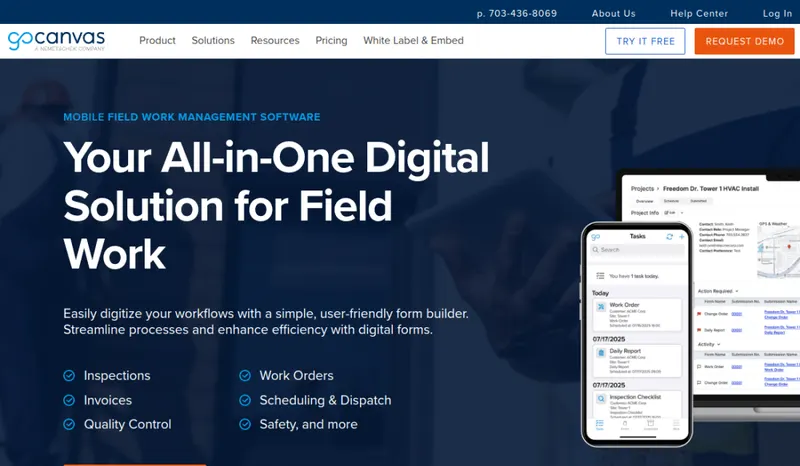
The form builder is the core: conditional logic, calculation fields, photo capture with annotations, GPS tagging, signatures, barcode scanning and offline use for techs in low-signal areas, with a template library to start from. Essentials also includes dispatch and scheduling and configurable PDF reports; Pro adds multi-user workflows, customer and project management and API access; Max adds departments, follow-up tasks, live data sources and single sign-on.
Pricing is per user, billed annually with a 3-user minimum: Essentials $29, Pro $39 and Max $49 per user per month. GoCanvas offers a free trial, which a product specialist activates after a setup call; its release notes put it at 14 days (November 2025). Integrations include QuickBooks, Salesforce, Procore (two-way), Zapier, Microsoft Power Automate, Box, Dropbox and Google Drive.
The trade-off: GoCanvas centers on forms and field data, not quoting, invoicing and payments, so most trades run it beside an FSM. Building good forms takes someone with an eye for logic and workflow.
Pricing
| Tier | Price | Notes |
|---|---|---|
| Essentials | $29/user/mo | Lowest price in this table |
| Pro | $39/user/mo | |
| Max | $49/user/mo | Highest price in this table |
Essentials $29, Pro $39 and Max $49 per user a month, billed annually, with a 3-user minimum; no monthly-billing price is shown. Free trial: GoCanvas's trial page says a product specialist sets it up on a call, and its pricing and trial pages state no length; its release notes of 24 November 2025 (read 2026-10-05) say the trial messaging was updated to a 14-day duration. Verified against gocanvas.com/pricing and gocanvas.com/free-trial 2026-10-08.
GoCanvas starts at $29/user/mo (Essentials tier). That is a per-seat price, so the bill grows as you add seats; check the pricing note for what counts as a seat, seat minimums and plan limits. Its starting price places it in our entry price band (under $100 per user per month). The tier prices in the table above run from $29 to $49/user/mo; the pricing note gives the billing terms and any other published prices. 14-day free trial.
Pricing verified 2026-10-08. Prices can change, so confirm them with GoCanvas before purchasing.
Cost by crew size
Monthly cost of the cheapest GoCanvas plan that allows each number of users, worked out from the plan prices and user rules on its pricing page, counting every tech as a full user. Plan prices and extra-user fees only: job, appointment and other usage limits, add-ons, setup fees and payment processing are not included; where a plan's usage limit is recorded, it is named under the figure.
| Users | Billed annually |
|---|---|
| 1 | $87/mo Essentials |
| 3 | $87/mo Essentials |
| 5 | $145/mo Essentials |
| 10 | $290/mo Essentials |
Source: gocanvas.com/pricing, read 2026-10-08.
Switching from another tool? Estimate the 12-month cost of switching →
Key features
Integrations
Pros
- + Custom mobile form builder with depth
Conditional logic, calculation fields, photo capture with annotations, GPS tagging, signature capture, barcode scanning, offline mode. Operations build trade-specific data collection workflows that pre-built FSM templates can't match.
- + Template library to start from
Pre-built templates for inspections, service calls, audits and safety checks mean you customize rather than build every form from scratch.
- + Offline mode for low-signal environments
Forms work offline and sync when connectivity returns. Useful for techs working in basements, rooftops, remote rural locations, or other low-signal areas. Many FSM-bundled form features lack this depth.
- + Free trial with every feature
GoCanvas's help center says you can use "any and all features and functions" during the trial, with unlimited form building, devices and users. Its release notes put the trial at 14 days (November 2025), and a product specialist activates it after a setup call.
- + Procore, Salesforce and QuickBooks integrations
Push completed forms into Procore Documents and pull Procore data into forms, sync with Salesforce and QuickBooks, and file PDFs to Box, Dropbox or Google Drive.
- + Dispatch and scheduling included
Even Essentials includes dispatch and scheduling, so forms can go out to techs as job assignments.
Cons
- − Not a full FSM
GoCanvas handles forms, dispatch and field data, but not the quoting, invoicing and payments of a full FSM, so most trades run it beside one. Weigh it against the forms your FSM already has.
- − Per-user pricing adds up at scale
At $29-$49 per user per month (billed annually), large operations (25+ users) pay roughly $725-$1,225 per month for GoCanvas alone. For operations adopting GoCanvas just to extend FSM form functionality, the cost-benefit math requires justification.
- − Custom forms take time to build
Custom forms with conditional logic, calculation fields and workflow steps need someone on your team to build them, so plan who will do it, or start from pre-built templates.
- − Overlaps with FSM-bundled mobile forms
Most modern FSM platforms ship some mobile form capability. Operations should genuinely need custom forms beyond FSM-bundled features to justify GoCanvas; operations that use FSM-bundled forms for everything don't need GoCanvas's depth.
Implementation
Deployment time depends on how many custom forms you build. Start from the template library and adapt templates rather than building from scratch, then test each form with field techs and iterate. Connect the integrations you need (QuickBooks, Salesforce, Procore, cloud storage) once the forms are stable. Moving from paper is mostly a habit change; moving from another forms tool usually means rebuilding forms. Make the GoCanvas forms a required step, not an optional one.
Best for / Watch out for
Best for
Trades businesses needing custom mobile forms beyond what their primary FSM provides, such as inspection forms, safety checklists, equipment audits, custom work order templates
Watch out for
Centered on forms and field data rather than quoting, invoicing and payments, so you may need an FSM beside it; per-user pricing with a 3-user minimum; custom forms take someone on your team to build
Available for these trades
Alternatives to GoCanvas
Matched on tool type, shared trades, price tier and team size.
Starts at $6 per user a month.
Starts at $208 a month for the company; stronger hvac specialty fit.
Starts at $44.92 per route a month; stronger pest control specialty fit.
Starts at $85 a month for the company.
Starts at $39 per user a month.
Quote-only pricing, so compare on fit not cost.
User reviews
Write a review →No user reviews yet for GoCanvas
If you use GoCanvas, you can write the first review. Every review is moderated by hand before it is published.
Write the first review →Write a review of GoCanvas
Every review is moderated by hand before it is published, and a review can be declined. If you leave an email address, we may use it to confirm that you use GoCanvas.
Frequently asked questions
Do I need GoCanvas if my FSM has mobile forms?
Depends on your form complexity needs. Most modern FSM platforms (Jobber, Housecall Pro, ServiceTitan) ship basic mobile form capability, sufficient for simple inspections and standard work order completion. GoCanvas's specialty is custom forms with conditional logic, calculation fields, and complex workflows. If you find yourself wishing your FSM forms could do more, GoCanvas extends the capability. If your FSM forms handle your workflows, you don't need GoCanvas.
How does GoCanvas compare to Mitti (formerly SafetyCulture)?
Both are mobile-forms platforms with overlapping uses. Mitti is inspection and safety focused, with a free plan for up to 10 seats. GoCanvas covers inspections plus general data collection, work orders, equipment audits, dispatch and scheduling, with per-user plans from $29/user/month (3-user minimum). For a pure safety and compliance focus, Mitti fits; for custom forms across many workflows, GoCanvas.
What kinds of forms do operations build in GoCanvas?
Common form types: HVAC equipment inspection checklists, plumbing service call documentation, electrical audit forms, roofing damage assessment forms, vehicle inspection forms, safety pre-work checklists, equipment maintenance logs, customer signature acceptance forms, time tracking with project codes, and many trade-specific data collection workflows. GoCanvas's template library has pre-built forms to start from, such as daily field reports, estimates, risk assessments and work orders.
Does GoCanvas work offline?
Yes. Offline access is on every plan: forms, photos and signatures can be completed without a connection and sync when connectivity returns, which matters for basements, rooftops and rural sites.
What's the difference between GoCanvas's plans?
GoCanvas publishes three per-user plans billed annually with a 3-user minimum: Essentials at $29/user/month, Pro at $39 and Max at $49. Compare the feature lists on GoCanvas's pricing page to see what Pro and Max add.
Ready to try GoCanvas?
Pricing starts at $29/user/mo. 14-day free trial.
Visit GoCanvas →Do you build something that competes with GoCanvas?
We check GoCanvas against its own website and list the cons next to the pros. If you build a competing product that is not listed here, you can submit it for editorial review. An evaluation can end with or without a listing.
Listings are free. We do not accept payment for inclusion, for placement, for a score, or to remove a documented con. Read this page first and decide whether you want that.