
Method:CRM Review
CRM with real-time two-way QuickBooks sync, for small businesses including contractors
Fit Score
Fit Score
▸ How we scored Method:CRM: 7.6/10
| Factor | Weight | Sub-score |
|---|---|---|
| Vertical fit (best trade) | 60% | 6.0/10 |
| Pricing transparency | 20% | 10.0/10 |
| Integration coverage | 20% | 10.0/10 |
Weighted composite, applied identically to every vendor; no vendor pays to change it. Full Fit Score methodology →
WrenchStack may earn a commission or a referral reward if you sign up through a tracked link on this page. The vendor pays it and we add no charge of our own. Neither is an input to the Fit Score or to how we order tools. How we make money.
Quick verdict
Method:CRM is best for Small businesses and contractors that run their books in QuickBooks (Online, Desktop or Enterprise) and want leads, estimates, a customer portal and workflows tied to that data. Pricing starts at $35/user/mo. 10-day free trial available.
Reviews on review sites
We do not copy third-party review scores onto this page: they change often and we could not verify them. Read Method:CRM's current reviews at the source.
About Method:CRM
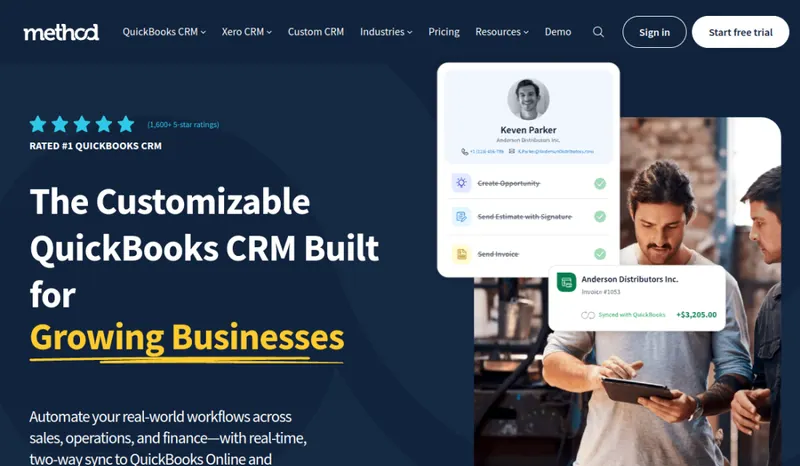
Method CRM is customer relationship management software from Method Integration, a company with its office in downtown Toronto. It is built around a two-way, real-time sync with QuickBooks Online, QuickBooks Desktop and QuickBooks Enterprise: Method says its patented integration instantly syncs customers, invoices, payments and more between the CRM and QuickBooks. Method also sells a separate CRM for Xero users. It targets several industries, including construction contractors, field services, manufacturing, distribution and professional services, and says more than 18,000 users rely on it.
Core tools cover lead management, customer records, and estimates that customers can accept online and that convert to sales orders and invoices with a click, syncing to QuickBooks. The customer portal lets customers view and pay invoices, approve documents, update their details and submit support requests. Method stresses customization: you can track the data your business needs, use custom transaction templates and build workflows that follow your own process. It connects with Gmail, Google Calendar and Outlook, and Method says Zapier links it to more than 8,000 other apps. The mobile app for iPhone, iPad and Android shows your pipeline and lets you add leads, send estimates and take payments.
Pricing is per user per month: CRM Quick Start $35, CRM Pro $59 and CRM Enterprise $97, with 10% off for paying 12 months up front. All three plans include QuickBooks integration, lead management, online portals, reports and customization; Pro and Enterprise add financial management and the sales pipeline, and Enterprise adds professional customization services. The free trial is 10 days, needs no credit card and includes all CRM Pro features. When we checked, Method also advertised 25% off for three months on accounts with three or more users.
Field service tools are a separate product, Method:Field Services, which Method prices from $15 a month per field crew technician license and $45 a month per dispatcher license.
The trade-off: Method fits best when QuickBooks (or Xero, through the separate Xero CRM) already holds your customer and invoice data. It is a general small-business CRM rather than a trade-specific job management system, per-user pricing grows with headcount, and scheduling and dispatch need the separate Field Services product.
Pricing
| Tier | Price | Notes |
|---|---|---|
| CRM Quick Start | $35/user/mo | Lowest price in this table |
| CRM Pro | $59/user/mo | |
| CRM Enterprise | $97/user/mo | Highest price in this table |
Per user per month: CRM Quick Start $35, CRM Pro $59, CRM Enterprise $97; 10% off when you prepay 12 months. At the time of checking, a promotion offered 25% off for three months on accounts with 3+ users. Method:Field Services is priced separately (from $15 a month per field crew technician license and $45 per dispatcher license). Free 10-day trial with CRM Pro features, no credit card. A separate CRM is sold for Xero users. Verified against method.me/pricing 2026-09-29.
Method:CRM starts at $35/user/mo (CRM Quick Start tier). That is a per-seat price, so the bill grows as you add seats; check the pricing note for what counts as a seat, seat minimums and plan limits. Its starting price places it in our entry price band (under $100 per user per month). The tier prices in the table above run from $35 to $97/user/mo; the pricing note gives the billing terms and any other published prices. 10-day free trial.
Pricing verified 2026-09-29. Prices can change, so confirm them with Method:CRM before purchasing.
Switching from another tool? Estimate the 12-month cost of switching →
Key features
Integrations
Pros
- + Two-way, real-time QuickBooks sync
Method says customers, invoices, payments and more sync instantly in both directions, so the office does not re-key data between the CRM and the books.
- + Works with QuickBooks Desktop too
Method supports QuickBooks Online, Desktop and Enterprise, and says its mobile app brings QuickBooks Desktop data into the cloud so you can reach it away from the office.
- + Estimates to invoices
Customers can accept estimates online, and an accepted estimate converts to a sales order or invoice with a click and syncs to QuickBooks.
- + Customer portal on every plan
Online portals are included from Quick Start up, so customers can view and pay invoices, approve documents and update their details themselves.
- + Built to be customized
You can track the data your business needs, use custom transaction templates and set up workflows that match how you sell.
- + No-card trial with Pro features
The 10-day free trial needs no credit card and includes all CRM Pro features, so you can test the QuickBooks sync on your own data.
Cons
- − Per-user pricing
Plans run $35 to $97 per user per month (10% off with annual prepay), so costs rise with every seat.
- − Dispatch is a separate product
Technician scheduling and dispatch come from Method:Field Services, priced separately per field technician ($15 a month) and dispatcher ($45 a month) license.
- − Not built only for trades
Method also sells to manufacturers, distributors and professional services firms, so plan to configure it around your trade's workflow.
- − Customization takes setup
Much of the value comes from tailoring fields, templates and workflows. Enterprise includes professional customization services; on the other plans you configure it yourself.
- − Short trial
The free trial is 10 days, which is short for testing a QuickBooks sync, estimates and portal end to end.
Implementation
Start the 10-day trial (no credit card; it includes CRM Pro features) and connect your QuickBooks Online, Desktop or Enterprise company file first, since customers, invoices and payments sync from it. Check that customer and transaction data came across correctly before adding users. Then set up estimate templates, custom fields and workflows for how you sell, add sales pipeline stages if you are on Pro or Enterprise, turn on the customer portal, and connect Gmail or Outlook and Google Calendar. Install the mobile app for staff who quote on site. If you need technician scheduling and dispatch, trial Method:Field Services alongside the CRM, and consider Enterprise's professional customization services for a complex setup.
Best for / Watch out for
Best for
Small businesses and contractors that run their books in QuickBooks (Online, Desktop or Enterprise) and want leads, estimates, a customer portal and workflows tied to that data
Watch out for
Per-user pricing adds up as the team grows; technician scheduling and dispatch are a separate Method:Field Services product; a general small-business CRM that needs configuring for your trade; 10-day trial
Available for these trades
Alternatives to Method:CRM
Matched on tool type, shared trades, price tier and team size.
Starts at $25 a month base, more as users are added.
Starts at $139 a month base, more as users are added.
Starts at $29 a month base, more as users are added; stronger hvac specialty fit.
Starts at $59 a month base, more as users are added; stronger hvac specialty fit.
Starts at $208 a month for the company; stronger hvac specialty fit.
Starts at $85 a month for the company.
User reviews
Write a review →No user reviews yet for Method:CRM
If you use Method:CRM, you can write the first review. Every review is moderated by hand before it is published.
Write the first review →Write a review of Method:CRM
Every review is moderated by hand before it is published, and a review can be declined. If you leave an email address, we may use it to confirm that you use Method:CRM.
Frequently asked questions
Do I need QuickBooks to use Method?
The main Method CRM is built for QuickBooks Online, Desktop and Enterprise. Method also sells a separate CRM for Xero users, which also uses a two-way sync.
How much does Method CRM cost?
CRM Quick Start is $35, CRM Pro $59 and CRM Enterprise $97 per user per month, with 10% off if you prepay 12 months. Method:Field Services is priced separately. There is a 10-day free trial with no credit card.
What is the difference between the plans?
All plans include QuickBooks integration, lead management, online portals, reports and customization. Pro and Enterprise add financial management and the sales pipeline, and Enterprise adds professional customization services.
Does Method handle scheduling and dispatch?
Not in the CRM plans. Method sells Method:Field Services separately, from $15 a month per field crew technician license and $45 a month per dispatcher license.
Does it work with QuickBooks Desktop?
Yes. Method supports QuickBooks Desktop as well as QuickBooks Online and Enterprise, with a two-way sync of customers, invoices and payments.
Is there a mobile app?
Yes. Method has a mobile CRM app for iPhone, iPad and Android that lets you view your pipeline, add leads, send estimates and take payments.
Ready to try Method:CRM?
Pricing starts at $35/user/mo. 10-day free trial. The pricing note records that no credit card is needed.
Visit Method:CRM →Do you build something that competes with Method:CRM?
We check Method:CRM against its own website and list the cons next to the pros. If you build a competing product that is not listed here, you can submit it for editorial review. An evaluation can end with or without a listing.
Listings are free. We do not accept payment for inclusion, for placement, for a score, or to remove a documented con. Read this page first and decide whether you want that.