
UpKeep Review
Mobile-first CMMS for maintenance teams that look after their own equipment and facilities
Fit Score
Fit Score
▸ How we scored UpKeep: 7.0/10
| Factor | Weight | Sub-score |
|---|---|---|
| Vertical fit (best trade) | 60% | 5.0/10 |
| Pricing transparency | 20% | 10.0/10 |
| Integration coverage | 20% | 10.0/10 |
Weighted composite, applied identically to every vendor; no vendor pays to change it. Full Fit Score methodology →
WrenchStack may earn a commission or a referral reward if you sign up through a tracked link on this page. The vendor pays it and we add no charge of our own. Neither is an input to the Fit Score or to how we order tools. How we make money.
Quick verdict
UpKeep is best for In-house maintenance teams in manufacturing, facilities, property management, hospitality, food and beverage and similar operations that maintain their own assets (not contractors billing customers). Pricing starts at $24/user/mo.
Reviews on review sites
We do not copy third-party review scores onto this page: they change often and we could not verify them. Read UpKeep's current reviews at the source.
About UpKeep
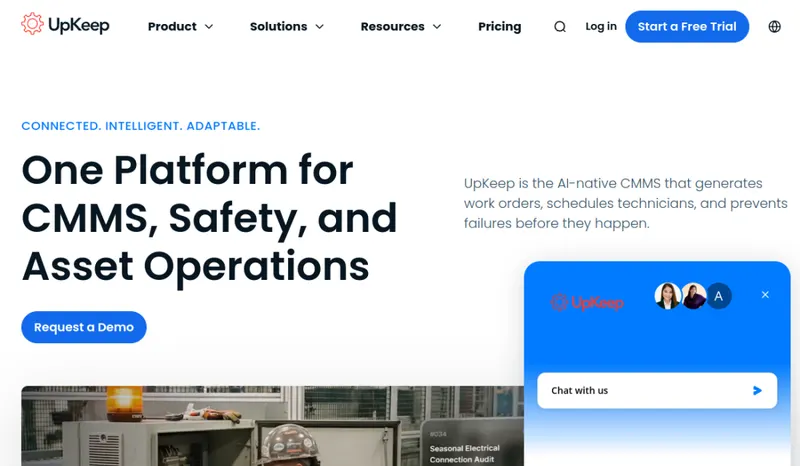
UpKeep is a CMMS (computerized maintenance management system) for teams that maintain their own equipment and facilities. UpKeep says it was founded in 2015 by CEO Ryan Chan, a former process-development engineer at a membrane manufacturing plant, and it is based in Los Angeles (UpKeep Technologies, Inc.). UpKeep says more than 4,000 companies and 40,000 users rely on it, across manufacturing, facility management, data centers, energy and utilities, food and beverage, healthcare, fleet, property management, education, hospitality and more.
The core CMMS covers work orders, preventive maintenance, asset management, parts and inventory, purchase orders, work requests, meter readings, checklists, QR codes for asset identification, and analytics and reporting, with iOS and Android apps. UpKeep has added Nova AI (automated work order generation and asset intelligence), UpKeep Learn (training built from your procedures), safety and EHS tools, Edge IoT sensors and fleet maintenance.
Pricing is per user per month: Essential $24 (unlimited work orders and locations, Nova AI) and Premium $55 (adds PM scheduling, custom checklists, parts and inventory with costing, time and labor tracking and 30-day analytics history). Professional (adds mobile offline mode, an external request portal, full analytics history, asset lifecycle tracking and signature capture) and Enterprise (multi-site, workflow automation, PO management, API and custom integrations, SSO) are quote-only. View-only users, requesters and outside vendors do not need paid licenses. Essential and Premium have a free trial with no credit card, the pricing page advertises '7 Days Risk Free', and paid implementation packages run from $500 (training only) to $5,000.
Named integrations include SAP, Oracle, NetSuite, Microsoft Dynamics, QuickBooks and Zapier; UpKeep says it connects to more than 1,000 systems through native integrations, Zapier and its public REST API.
The trade-off: UpKeep is for internal maintenance, not customer-facing field service. HVAC, plumbing and electrical contractors who quote, dispatch and invoice customers need an FSM platform such as Jobber, Housecall Pro or ServiceTitan instead. Within CMMS, compare UpKeep with MaintainX and Limble at your team size, and note that offline mobile mode, full analytics history and the request portal sit on the quote-only Professional plan.
Pricing
| Tier | Price | Notes |
|---|---|---|
| Essential | $24/user/mo | Lowest price in this table |
| Premium | $55/user/mo | Highest price in this table |
| Professional | See pricing note | |
| Enterprise | See pricing note |
Per user per month: Essential $24, Premium $55; Professional and Enterprise are quote-only. Billing term is not stated on the page. View-only users, requesters and third-party vendors do not need paid licenses. Free trial with no credit card on Essential and Premium; the page advertises '7 Days Risk Free'. Optional implementation: Training Only $500, Quickstart $1,500, Advanced $5,000, custom enterprise by quote. Verified against upkeep.com/pricing 2026-09-29.
UpKeep starts at $24/user/mo (Essential tier). That is a per-seat price, so the bill grows as you add seats; check the pricing note for what counts as a seat, seat minimums and plan limits. Its starting price places it in our entry price band (under $100 per user per month). The tier prices in the table above run from $24 to $55/user/mo; the pricing note gives the billing terms and any other published prices. 2 of its 4 tiers have no price in our table; see the pricing note.
Pricing verified 2026-09-29. Prices can change, so confirm them with UpKeep before purchasing.
Switching from another tool? Estimate the 12-month cost of switching →
Key features
Integrations
Pros
- + Published entry prices
Essential ($24) and Premium ($55) per user per month are listed on the pricing page, with a free trial that needs no credit card.
- + Free licenses for requesters and viewers
View-only users, requesters and outside vendors do not need paid licenses, so only active technicians and managers count toward the bill.
- + Mobile apps with QR codes
iOS and Android apps let technicians handle work orders on the floor, and QR codes on equipment identify assets.
- + Broad CMMS coverage
Work orders, preventive maintenance, asset management, parts and inventory, purchase orders, meter readings and reporting in one system.
- + ERP integrations
SAP, Oracle, NetSuite, Microsoft Dynamics and QuickBooks are named, plus Zapier and a REST API.
- + More than a CMMS
Safety and EHS tools, IoT sensors, fleet maintenance and Nova AI extend the platform.
Cons
- − Internal maintenance only, not customer-facing FSM
UpKeep is not designed to quote and bill customers. Contractors need an FSM platform such as Jobber, Housecall Pro or ServiceTitan; read the CMMS vs FSM glossary entry before deciding.
- − Key features sit on higher plans
PM scheduling starts at Premium, and mobile offline mode, the external request portal and full analytics history need the quote-only Professional plan.
- − Per-user pricing
Each technician or manager needs a paid license, so cost grows with the team.
- − Paid implementation packages
Training-only help costs $500, the Quickstart implementation plan $1,500 and expanded training $5,000.
- − Short risk-free period
The pricing page advertises 7 days risk free, which may not cover a full monthly preventive-maintenance cycle.
Implementation
Start a free trial on Essential or Premium (no credit card) and pick the plan by the features you need: PM scheduling needs Premium, and offline mode and the request portal need Professional. Build your location hierarchy, import your asset list (with make, model and meter readings where relevant) and print QR codes for key equipment. Load parts and inventory, set up preventive maintenance schedules and checklists, and add requesters and view-only users, who do not need paid licenses. Connect your ERP or accounting system (SAP, Oracle, NetSuite, Microsoft Dynamics or QuickBooks) or use Zapier or the API. UpKeep sells implementation help from $500 for training to $5,000 for expanded training if you want guided setup.
Best for / Watch out for
Best for
In-house maintenance teams in manufacturing, facilities, property management, hospitality, food and beverage and similar operations that maintain their own assets (not contractors billing customers)
Watch out for
Built for in-house maintenance, not contractor billing; per-user pricing; offline mobile mode and full analytics need the quote-only Professional plan
Available for these trades
UpKeep is maintenance software (CMMS), and its own site names none of the contractor trades we cover, so it is not ranked on our trade pages. The alternatives below compare it with other CMMS tools.
WrenchStack Awards
Editorial recognitions UpKeep received in our 2026 awards. See full methodology →
Alternatives to UpKeep
Matched on tool type, price tier and team size.
User reviews
Write a review →No user reviews yet for UpKeep
If you use UpKeep, you can write the first review. Every review is moderated by hand before it is published.
Write the first review →Write a review of UpKeep
Every review is moderated by hand before it is published, and a review can be declined. If you leave an email address, we may use it to confirm that you use UpKeep.
Frequently asked questions
How does UpKeep compare to MaintainX and Limble?
All three are mobile-first CMMS tools for in-house maintenance teams. UpKeep publishes Essential ($24) and Premium ($55) per-user prices, with Professional and Enterprise quote-only. Compare each vendor's current pricing page and feature list at your team size, and trial the ones that fit.
What's the difference between UpKeep's plans?
Essential ($24 per user per month) covers unlimited work orders and locations plus Nova AI. Premium ($55) adds PM scheduling, custom checklists, parts and inventory with costing, and time and labor tracking. Professional adds mobile offline mode, an external request portal, full analytics history and asset lifecycle tracking. Enterprise adds multi-site support, workflow automation, PO management, API and custom integrations, and SSO. Professional and Enterprise are quote-only.
Does UpKeep integrate with SAP or Oracle?
Yes. UpKeep's integrations page names SAP, Oracle, NetSuite, Microsoft Dynamics, QuickBooks and Zapier, and it offers a public REST API. API and custom integrations are listed as an Enterprise plan feature.
Is UpKeep right for HVAC or plumbing contractors?
Usually not. UpKeep manages maintenance of equipment your organization owns. Contractors who quote, dispatch and invoice customers need field service management software instead.
Does UpKeep have a free trial?
Yes. Essential and Premium have a free trial with no credit card required, and the pricing page advertises 7 days risk free.
Does UpKeep work offline?
Mobile offline mode is listed as a Professional plan feature, so confirm it is in your quote if your techs work in basements, plant rooms or remote sites.
Ready to try UpKeep?
Pricing starts at $24/user/mo.
Visit UpKeep →Do you build something that competes with UpKeep?
We check UpKeep against its own website and list the cons next to the pros. If you build a competing product that is not listed here, you can submit it for editorial review. An evaluation can end with or without a listing.
Listings are free. We do not accept payment for inclusion, for placement, for a score, or to remove a documented con. Read this page first and decide whether you want that.