
busybusy Review
Construction time tracking, job costing, and equipment tracking
Fit Score
Fit Score
▸ How we scored busybusy: 8.8/10
| Factor | Weight | Sub-score |
|---|---|---|
| Vertical fit (best trade) | 60% | 8.0/10 |
| Pricing transparency | 20% | 10.0/10 |
| Integration coverage | 20% | 10.0/10 |
Weighted composite, applied identically to every vendor; no vendor pays to change it. Full Fit Score methodology →
WrenchStack may earn a commission or a referral reward if you sign up through a tracked link on this page. The vendor pays it and we add no charge of our own. Neither is an input to the Fit Score or to how we order tools. How we make money.
Quick verdict
busybusy is best for Construction and trades crews that want easy, accurate GPS time tracking with job costing and equipment tracking, including a genuine free tier. Pricing starts with a free tier. Trade fit of 8/10 or higher: General Contractors. 14-day free trial available.
Reviews on review sites
We do not copy third-party review scores onto this page: they change often and we could not verify them. Read busybusy's current reviews at the source.
About busybusy
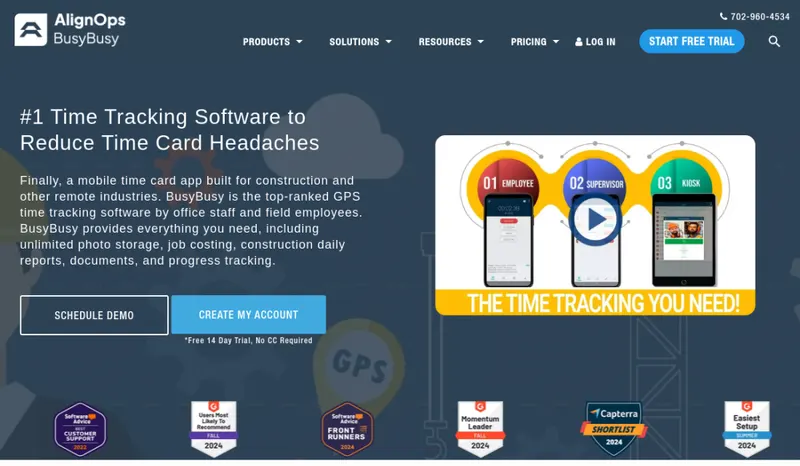
busybusy is a time-tracking app built for construction and field crews, sold by AlignOps as its field management product. busybusy's homepage counter showed 383,845,559 total time card hours tracked on 8 October 2026.
For trades and construction, busybusy covers GPS time tracking, job costing, equipment tracking, scheduling and reporting, with integrations that feed payroll and accounting: QuickBooks Online and Desktop, Procore, Sage, ADP and Zapier. The standout is a free plan, which makes digital time tracking accessible to small crews still on paper timecards.
Like Workyard, busybusy is a time and labor layer, not a full FSM: it doesn't do invoicing, CRM or customer-facing workflows, so contractors run it alongside their field-service platform. The free plan includes GPS time tracking, job costing and equipment tracking for unlimited users; scheduling and supervisor tools start on Pro ($9.99/user/month billed annually), and Premium ($14.99) includes documents, daily project reports, checklists, team messaging and Zapier (the first four are also sold as add-ons on Pro), each paid plan with a $40 admin license (first user included).
Pricing
| Tier | Price | Notes |
|---|---|---|
| Free | Free | |
| Pro | $9.99/mo | Lowest price in this table |
| Premium | $14.99/mo | Highest price in this table |
Free plan includes GPS time tracking, job costing, equipment tracking and unlimited users. Pro $9.99/user/mo billed annually ($11.99 monthly), Premium $14.99/user/mo annually ($17.99 monthly); each adds a $40 admin license (first user included; the page does not say whether it is monthly). Paid plans are billed for active users (a user who logs in or has a time entry in the billing period), with a minimum charge of 1 user per paid account, and renew automatically based on average usage over the previous 90 days. busybusy's Fair Billing Policy says setup fees are charged once and are not refundable (the policy gives no amount), and that integration and consulting services are not refundable either. It offers a 90-day money-back guarantee: cancelling within 90 days of first registering returns the annual payment, less setup, integration and consulting fees; renewals are non-refundable. The policy says a paid account can be cancelled at any time; the User Agreement says either party may terminate on 30 days' written notice. 14-day free trial, no credit card required. Part of AlignOps; still sold as busybusy. Prices read on busybusy.com/price in a browser 2026-10-22 (the page renders by script, so WebFetch sees no prices); billing terms verified against busybusy.com/fair-billing 2026-10-22.
busybusy has a free tier (15 of the 127 tools we list have one). The pricing note above lists what the free plan includes and its limits; check them against your team size and job volume before you plan around it. 14-day free trial.
Pricing verified 2026-10-22. Prices can change, so confirm them with busybusy before purchasing.
Cost by crew size
Monthly cost of the cheapest busybusy plan that allows each number of users, worked out from the plan prices and user rules on its pricing page, counting every tech as a full user. Plan prices and extra-user fees only: job, appointment and other usage limits, add-ons, setup fees and payment processing are not included; where a plan's usage limit is recorded, it is named under the figure.
| Users | Billed annually where offered | Billed monthly |
|---|---|---|
| 1 | $0/mo Free | $0/mo Free |
| 3 | $0/mo Free | $0/mo Free |
| 5 | $0/mo Free | $0/mo Free |
| 10 | $0/mo Free | $0/mo Free |
Source: busybusy.com/price, read 2026-10-08.
Switching from another tool? Estimate the 12-month cost of switching →
Key features
Integrations
Pros
- + Genuine free tier
busybusy offers a real free plan, making accurate GPS time tracking accessible to small crews still on paper timecards, a low-risk way to digitize labor tracking and cut payroll errors.
- + Built for field crews
Clock-in and clock-out are designed for crews in the field, including remote sites, which is what makes or breaks time tracking adoption.
- + Job + equipment costing
Beyond time, busybusy tracks job costing and equipment, so contractors see labor and equipment cost per job, useful for protecting margins on construction and trades work.
- + Part of the AlignOps suite
AlignOps sells busybusy (field management) alongside ToolWatch (asset management), FleetWatcher (fleet and material management) and SafetyReports (risk management), so contractors already using one of those products can add crew time tracking from the same vendor.
- + Payroll and accounting integrations
Time and cost data sync to QuickBooks (Online or Desktop), Sage, ADP and Procore, reducing manual entry and speeding up pay runs.
Cons
- − Not a full FSM
busybusy is time tracking, job/equipment costing, and scheduling, not field service management. No invoicing, CRM, or customer workflows, so you'll pair it with an FSM rather than replace one.
- − Lighter advanced PM
Advanced project-management features are thinner than dedicated PM platforms. It's a labor/time tool, so don't expect deep project controls.
- − Another tool in the stack
As a focused layer, it adds a login and vendor alongside your FSM and accounting. Worth it for the labor data, but it's not all-in-one consolidation.
- − Crew management tools need a paid plan
The free plan covers GPS time tracking, job costing and equipment tracking, but scheduling, supervisor tools, GPS breadcrumbing, and photos and notes are on Pro ($9.99/user/month billed annually); documents, daily project reports, checklists, team messaging and Zapier are included on Premium ($14.99), and the first four are also sold as add-ons on Pro. Each paid plan adds a $40 admin license (first user included).
Implementation
busybusy is easy to roll out: create your projects and jobs, add crew members, and have them install the mobile app to clock in and out with GPS. Connect QuickBooks, Sage, ADP or Procore to sync time and job-cost data. Start on the free plan, which includes job costing and equipment tracking, to validate the workflow, then move to Pro for scheduling and supervisor tools as needed. Because it complements rather than replaces your FSM, plan how labor and cost data will flow between busybusy, your FSM and accounting. busybusy's Fair Billing Policy lists one-time setup fees and separately purchased integration or consulting services, none of them refundable, and the policy gives no amount for any of them, so ask for those figures in writing before you buy a paid plan.
Best for / Watch out for
Best for
Construction and trades crews that want easy, accurate GPS time tracking with job costing and equipment tracking, including a genuine free tier
Available for these trades
Alternatives to busybusy
Matched on tool type, shared trades, price tier and team size.
Teams of 10-100 deskless workers needing time tracking + communication + scheduling in one app
Costs more at $6/mo; also strong for general contractors.
Small trade and home service businesses (electricians, plumbers, HVAC, cleaners, locksmiths, pool and pest control) whose managers use iPhones or iPads and who want pricing by job volume rather than per user
Quote-only pricing, so compare on fit not cost; stronger fire protection & life safety specialty fit.
Also strong for general contractors.
Costs more at $25/mo; stronger painting specialty fit.
User reviews
Write a review →No user reviews yet for busybusy
If you use busybusy, you can write the first review. Every review is moderated by hand before it is published.
Write the first review →Write a review of busybusy
Every review is moderated by hand before it is published, and a review can be declined. If you leave an email address, we may use it to confirm that you use busybusy.
Frequently asked questions
Is busybusy free?
busybusy has a free plan that covers GPS time tracking, job costing and equipment tracking for unlimited users. Pro ($9.99/user/month billed annually, $11.99 billed monthly) adds scheduling, supervisor tools and GPS breadcrumbing; Premium ($14.99 annually, $17.99 monthly) includes documents, daily project reports, checklists, team messaging and Zapier, and the first four are also sold as add-ons on Pro. Both paid plans add a $40 admin license (first user included), and busybusy offers a 14-day free trial with no credit card required. The Fair Billing Policy also mentions one-time setup fees, for which it gives no amount, and a 90-day money-back guarantee on the annual payment, less setup, integration and consulting fees.
Is busybusy a full field-service platform?
No. busybusy is construction time tracking, job costing, equipment tracking, and scheduling, not a full FSM. It doesn't handle invoicing, CRM, or customer workflows, so contractors typically run it alongside their field-service platform for accurate labor data.
busybusy vs Workyard?
Both are construction and trades time-tracking layers with GPS and job costing. busybusy has a free plan and is part of AlignOps; Workyard starts at $6/user/month billed annually, with geofence clock-in rules from its Pro plan and automatic clock-in at geofences on Autopilot. If you want a free plan, start with busybusy; if you want automatic clock-in at geofences, compare Workyard's Autopilot plan. Both pair with an FSM.
Does busybusy track equipment?
Yes. Alongside time and job costing, busybusy tracks equipment, so contractors can see equipment usage and cost per job. Combined with labor tracking, that helps cost jobs accurately and protect margins. The free plan includes equipment usage, equipment location, machine hours and the equipment list.
Who is busybusy best for?
Construction and trades crews that want dead-simple, accurate GPS time tracking with job and equipment costing, especially those moving off paper timecards who want a free tier to start. It's a labor-tracking layer, so pair it with an FSM for invoicing, CRM, and customer-facing work.
Ready to try busybusy?
Free tier available. 14-day free trial. The pricing note records that no credit card is needed.
Visit busybusy →Do you build something that competes with busybusy?
We check busybusy against its own website and list the cons next to the pros. If you build a competing product that is not listed here, you can submit it for editorial review. An evaluation can end with or without a listing.
Listings are free. We do not accept payment for inclusion, for placement, for a score, or to remove a documented con. Read this page first and decide whether you want that.