
Connecteam Review
All-in-one workforce management for deskless teams
Fit Score
Fit Score
▸ How we scored Connecteam: 8.5/10
| Factor | Weight | Sub-score |
|---|---|---|
| Vertical fit (best trade) | 60% | 8.0/10 |
| Pricing transparency | 20% | 10.0/10 |
| Integration coverage | 20% | 8.3/10 |
Weighted composite, applied identically to every vendor; no vendor pays to change it. Full Fit Score methodology →
WrenchStack may earn a commission or a referral reward if you sign up through a tracked link on this page. The vendor pays it and we add no charge of our own. Neither is an input to the Fit Score or to how we order tools. How we make money.
Quick verdict
Connecteam is best for Teams of 10-100 deskless workers needing time tracking + communication + scheduling in one app. Pricing starts with a free tier. Trade fit of 8/10 or higher: Cleaning Services. 14-day free trial available.
Reviews on review sites
We do not copy third-party review scores onto this page: they change often and we could not verify them. Read Connecteam's current reviews at the source.
About Connecteam
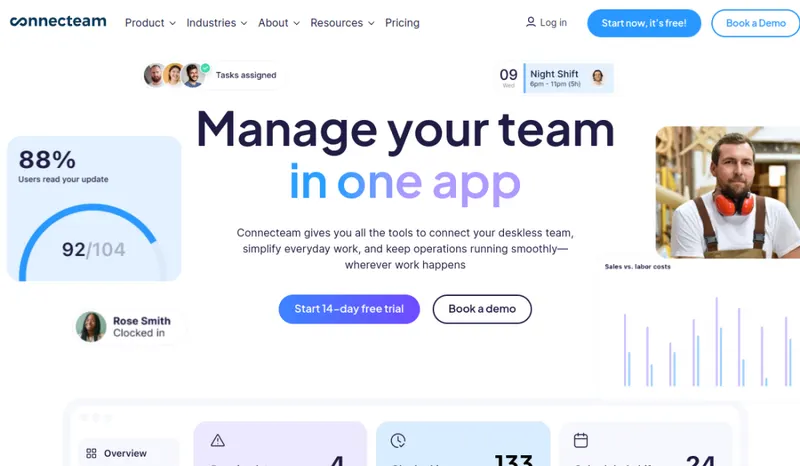
Connecteam is a workforce management app for deskless teams, founded in 2016 in Tel Aviv, with an office in New York. It raised a $120 million Series C in 2022 and serves construction, retail, hospitality, healthcare, trades and other industries whose staff work away from a desk. Unlike FSM tools that focus on customer-facing work (dispatching, invoicing, customer portal), Connecteam focuses on the employee side: time clock, scheduling, internal communication, training and documents.
For trades businesses it fills a gap FSM platforms often leave: managing the team itself. The GPS time clock records where techs clock in, shift scheduling handles rotating crews, chat and announcements replace WhatsApp groups, onboarding workflows train new hires, and document storage keeps certifications and licenses in one place. Time data flows to payroll through QuickBooks Online, Gusto, Xero, Paychex and ADP integrations.
Pricing is per hub (Operations, Communications, HR & Skills): a flat monthly price covers the first 30 users, then a small fee per extra user, and the free plan covers up to 10 users with every hub.
The trade-off: Connecteam isn't a full FSM. Most trades shops run it alongside their FSM: Connecteam for the team, the FSM for customers.
Pricing
| Tier | Price | Notes |
|---|---|---|
| Free (up to 10 users) | Free | |
| Basic | $35/mo | Lowest price in this table |
| Advanced | $59/mo | |
| Expert | $119/mo | Highest price in this table |
Pricing is for first 30 users; scales up after. Free tier is genuinely useful for sub-10-user teams.
Connecteam has a free tier (15 of the 127 tools we list have one). The pricing note above lists what the free plan includes and its limits; check them against your team size and job volume before you plan around it. 14-day free trial.
Pricing verified 2026-09-10. Prices can change, so confirm them with Connecteam before purchasing.
Uses the published starting tier and whether that price is per user or per company: a per-user price is multiplied by the techs, and any other price is shown as published. For an exact price at your team size and feature requirements, ask Connecteam.
Key features
Integrations
Pros
- + Free plan for up to 10 users
The free plan includes every hub and feature for up to 10 users, with no time limit, which covers many small crews.
- + Flat pricing for the first 30 users
Each hub has a flat monthly price for the first 30 users (Operations Basic from $29), then a small per-user fee, which keeps costs predictable for mid-size crews.
- + GPS-verified time clock
Techs clock in/out from job sites with GPS verification. Reduces time-theft (clocking in from home, not the job site) and dispute resolution. Critical for trades shops with hourly field workers.
- + In-app chat and announcements
Replaces WhatsApp/SMS groups for team communication. Searchable history, file sharing, channel organization. Keeps work communication separate from personal phones and creates audit trail.
- + Training and onboarding workflows
Built-in training modules for safety procedures, equipment use, customer service standards. New hire onboarding paths track completion automatically. Useful for shops with frequent turnover or new-hire compliance requirements.
- + Compliance document storage with expiration alerts
Centralized storage for tech certifications, licenses, vehicle docs, safety training records. Notifications when documents are expiring. Important for OSHA compliance, EPA Section 608 tracking, state licensing audits.
Cons
- − Not a full FSM
No customer scheduling, no dispatching, no invoicing, no customer portal. Trades shops run Connecteam ALONGSIDE primary FSM (Jobber, Housecall Pro), not as a replacement. Two-platform overhead.
- − Multi-vertical generic focus
Built for deskless workers across many industries (retail, hospitality, healthcare, construction). Trade-specific workflows (work orders, equipment tracking, pricebook) aren't here. Use trade-specific FSM for those.
- − Scheduling lacks dispatching intelligence
Shift scheduling is basic: assign techs to time blocks. Doesn't optimize routes, match skills to jobs, or handle on-demand dispatch like Workiz or ServiceTitan. Use a real FSM for dispatch.
- − UI can feel cluttered with many modules
Lots of modules in the platform (time clock + scheduling + chat + training + forms + documents + payroll). Can feel like a Swiss army knife. Some teams find this overwhelming compared to focused tools.
Implementation
Connecteam is self-service. Invite team members to the app, set up the GPS time clock and job sites, and build scheduling templates for your usual week. Frame the app as replacing WhatsApp groups, not adding another app, when you train field techs. Then set up chat channels, training and onboarding for new hires, and connect payroll (QuickBooks Online, Gusto, Xero, Paychex or ADP) so time data flows without re-keying.
Best for / Watch out for
Best for
Teams of 10-100 deskless workers needing time tracking + communication + scheduling in one app
Watch out for
Not a full FSM (no quotes, invoicing or customer portal); pair it with Jobber, Housecall Pro or another FSM for customer work
Available for these trades
Alternatives to Connecteam
Matched on tool type, shared trades, price tier and team size.
Construction and trades crews that want easy, accurate GPS time tracking with job costing and equipment tracking, including a genuine free tier
Small trade and home service businesses (electricians, plumbers, HVAC, cleaners, locksmiths, pool and pest control) whose managers use iPhones or iPads and who want pricing by job volume rather than per user
Costs more at $6/mo.
Costs more at $208/mo; stronger hvac specialty fit.
Costs more at $39/mo.
Costs more at $44.92/mo.
User reviews
Write a review →No user reviews yet for Connecteam
If you use Connecteam, you can write the first review. Every review is moderated by hand before it is published.
Write the first review →Write a review of Connecteam
Every review is moderated by hand before it is published, and a review can be declined. If you leave an email address, we may use it to confirm that you use Connecteam.
Frequently asked questions
Can Connecteam replace Jobber or Housecall Pro?
No. Connecteam is workforce management, not field service management. It handles the EMPLOYEE side (time clock, scheduling, chat, training, compliance) but lacks the CUSTOMER side (scheduling, dispatching, invoicing, customer portal). Most trades shops run Connecteam alongside their primary FSM. They solve different problems.
How does Connecteam's pricing work?
Each hub (Operations, Communications, HR & Skills) is priced separately. A flat monthly price covers the first 30 users, and each user after that adds a small per-user fee; Operations Basic starts at $29 a month for the first 30 users. The free plan covers up to 10 users with every hub. Price the hubs you'd actually use at your headcount.
How does GPS-verified time clock work?
Techs clock in/out from the mobile app; Connecteam captures GPS coordinates at clock-in/out. Settings can require techs to be within a geofence of an assigned job site before clocking in, or just record location as evidence. Reduces time-theft and helps dispute resolution.
Is Connecteam's free tier really free?
Yes. The free plan covers up to 10 users and includes all hubs and features, with no time limit. Larger teams move to a paid plan, priced per hub.
How does Connecteam compare to When I Work or Deputy?
All three handle scheduling and time tracking; Connecteam bundles more in one app (chat, training, documents, forms) across its three hubs. Its pricing is a flat price per hub for the first 30 users plus a per-user fee after that, so compare the hubs you need with per-user alternatives at your headcount.
Ready to try Connecteam?
Free tier available. 14-day free trial.
Visit Connecteam →Do you build something that competes with Connecteam?
We check Connecteam against its own website and list the cons next to the pros. If you build a competing product that is not listed here, you can submit it for editorial review. An evaluation can end with or without a listing.
Listings are free. We do not accept payment for inclusion, for placement, for a score, or to remove a documented con. Read this page first and decide whether you want that.