
Essential Review
Fire protection software with built-in automations, NFPA templates and month-to-month terms
Fit Score
Fit Score
▸ How we scored Essential: 9.0/10
| Factor | Weight | Sub-score |
|---|---|---|
| Vertical fit (best trade) | 60% | 10.0/10 |
| Pricing transparency | 20% | 5.0/10 |
| Integration coverage | 20% | 10.0/10 |
Weighted composite, applied identically to every vendor; no vendor pays to change it. Full Fit Score methodology →
WrenchStack may earn a commission or a referral reward if you sign up through a tracked link on this page. The vendor pays it and we add no charge of our own. Neither is an input to the Fit Score or to how we order tools. How we make money.
Quick verdict
Essential is best for Fire and life-safety contractors that want automated reminders and follow-ups, NFPA inspection templates, and month-to-month terms with implementation and data migration included. Pricing is quote-only (no published price). Trade fit of 8/10 or higher: Fire Protection & Life Safety.
Reviews on review sites
We do not copy third-party review scores onto this page: they change often and we could not verify them. Read Essential's current reviews at the source.
About Essential
Essential is software for fire and life-safety contractors, made by Essential Trades Software, Inc. The company says it first built the software to fix problems in its own fire protection business, and describes its team as fire protection veterans and software experts. It lists offices in San Francisco, Boise, Austin, Grand Rapids, Miami and New York. Besides fire protection, Essential says it works with commercial plumbing, HVAC and other businesses that manage inspections, recurring service or asset-based maintenance.
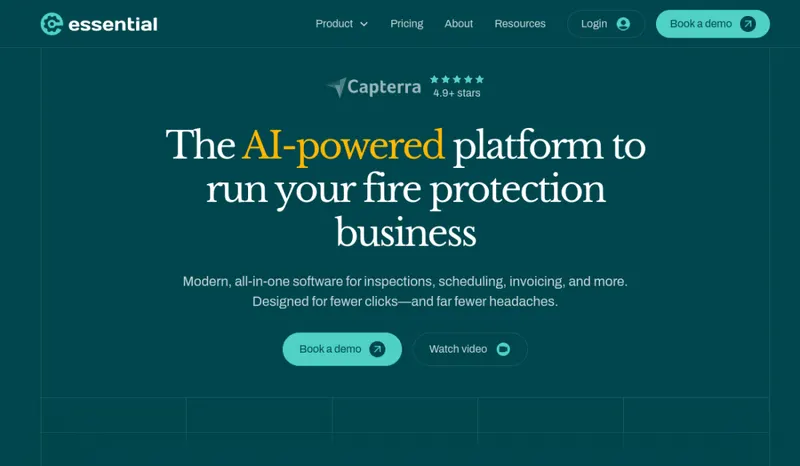
Essential automates customer outreach, inspection due-date tracking, appointment reminders, quote follow-ups and invoice collection, and includes built-in templates for NFPA 25, NFPA 72 and other standards. The office side covers CRM, scheduling with live traffic data, sales quoting, billing and invoicing, inspection management, tasks, inventory, job costing, timecards, dashboards and a customer portal where clients pay invoices, approve quotes and view inspection reports. AI tools draft quotes and invoices, add assets from a photo or voice note, and clean up notes.
The technician app runs natively on iOS and Android phones and tablets and keeps working offline. Technicians complete inspection reports, record deficiencies and photos, create quotes and invoices, and collect payments. Integrations include QuickBooks Online and Desktop, Xero, Sage Intacct, NetSuite, Dynamics 365 Business Central and Zoho Books for accounting, Google and Outlook calendars, The Compliance Engine for report submission, and Stripe for payments.
Essential does not publish prices. Its pricing page says you pay only for technician users (office users are free), there are no lock-in contracts, and implementation is free. Its homepage adds that data migration is included with every plan and billing is month-to-month starting after go-live. The trade-off: you need a demo to get a number, and Essential does not publish its founding date or customer count, so ask for references from fire contractors of your size.
Pricing
| Tier | Price | Notes |
|---|---|---|
| Per technician user (quote) | Custom quote |
No prices are published; book a demo for a quote. Essential charges only for technician users (office users are free), with no lock-in contracts and free implementation. Its homepage says data migration is included with every plan and billing is month-to-month starting after go-live. Verified against withessential.com/pricing and withessential.com 2026-09-29.
Essential does not publish a price, so you need a quote before you can compare it (49 of the 127 tools we list are quote-only). A missing price is not evidence of a high one. Get the quote in writing and confirm what it includes (number of users, integrations, onboarding, support) before you sign.
Pricing verified 2026-09-29. Prices can change, so confirm them with Essential before purchasing.
What the quote depends on
Number of technician users (office users are free), team size and needs.
Source: withessential.com/pricing, read 2026-10-08.
Essential has no published monthly price we can model at your team size, so we do not estimate one: any figure here would be a guess. Ask Essential for a quote.
Key features
Integrations
Pros
- + Automations built in
Customer outreach, inspection due-date tracking, appointment reminders, quote follow-ups and invoice collection run automatically, which cuts manual chasing in the office.
- + Office users are free
You pay only for technician users, so adding office staff does not raise the bill.
- + Low-commitment terms
No lock-in contracts, free implementation, data migration included with every plan, and month-to-month billing that starts after go-live.
- + Offline app on iOS and Android
The native technician app runs on phones and tablets on both platforms and keeps working without signal.
- + Wide accounting choice
Connects to QuickBooks Online and Desktop, Xero, Sage Intacct, NetSuite, Business Central and Zoho Books, plus The Compliance Engine for report submission.
- + NFPA templates
Built-in templates cover NFPA 25, NFPA 72 and other standards.
Cons
- − No published prices
You need a demo to get a quote for your technician count.
- − Little public company information
Essential does not publish a founding date, customer count or support hours. Ask for references and written support terms.
- − Cost scales with field headcount
Pricing is per technician user, so the bill grows with each technician you add.
- − Check specialized inspections
Confirm that the less common inspection types and NFPA forms your work needs are covered before you switch.
Implementation
Book a demo to get a quote for your technician count; office users are free. Send Essential your existing data (from another platform, paper or spreadsheets) so its team can migrate it during onboarding. Set up customers, properties, assets and recurring services, choose the NFPA templates you use, and turn on the automations for due-date tracking, reminders, quote follow-ups and invoice collection. Connect your accounting system (QuickBooks Online or Desktop, Xero, Sage Intacct, NetSuite, Business Central or Zoho Books), Stripe for payments, and The Compliance Engine if your jurisdictions use it. Billing starts after go-live.
Best for / Watch out for
Best for
Fire and life-safety contractors that want automated reminders and follow-ups, NFPA inspection templates, and month-to-month terms with implementation and data migration included
Watch out for
No published prices (you pay per technician user, quoted after a demo); Essential does not publish its founding date, customer numbers or support hours, so ask for references and support terms
Available for these trades
Alternatives to Essential
Matched on tool type, shared trades, price tier and team size.
Quote-only pricing, so compare on fit not cost; also strong for fire protection & life safety; 14-day free trial.
Quote-only pricing, so compare on fit not cost; stronger hvac specialty fit.
Quote-only pricing, so compare on fit not cost; also strong for fire protection & life safety.
Quote-only pricing, so compare on fit not cost; also strong for fire protection & life safety.
Quote-only pricing, so compare on fit not cost; stronger hvac specialty fit.
Quote-only pricing, so compare on fit not cost.
User reviews
Write a review →No user reviews yet for Essential
If you use Essential, you can write the first review. Every review is moderated by hand before it is published.
Write the first review →Write a review of Essential
Every review is moderated by hand before it is published, and a review can be declined. If you leave an email address, we may use it to confirm that you use Essential.
Frequently asked questions
What is Essential?
Essential is fire protection software from Essential Trades Software, Inc. It automates outreach, due-date tracking, reminders, quote follow-ups and invoice collection, and includes NFPA 25 and NFPA 72 templates, scheduling, quoting, invoicing and a customer portal.
How much does Essential cost?
Essential does not publish prices. You pay only for technician users (office users are free), implementation and data migration are included, there are no lock-in contracts, and month-to-month billing starts after go-live. Book a demo for a quote.
Does the Essential app work offline?
Yes. The technician app is a native iOS and Android app for phones and tablets, and it keeps working without signal and syncs later.
What does Essential integrate with?
QuickBooks Online and Desktop, Xero, Sage Intacct, NetSuite, Dynamics 365 Business Central and Zoho Books for accounting, Google and Outlook calendars, The Compliance Engine, and Stripe for payments.
Is Essential only for fire protection?
It is built for fire and life-safety contractors, but Essential says it also works with commercial plumbing, HVAC and other businesses that manage inspections, recurring service or asset-based maintenance.
Ready to try Essential?
No published price: ask Essential for a quote.
Visit Essential →Do you build something that competes with Essential?
We check Essential against its own website and list the cons next to the pros. If you build a competing product that is not listed here, you can submit it for editorial review. An evaluation can end with or without a listing.
Listings are free. We do not accept payment for inclusion, for placement, for a score, or to remove a documented con. Read this page first and decide whether you want that.