
Scoop Review
Configurable operations platform for solar, storage, EV charging and other energy field teams, with unlimited users
Fit Score
Fit Score
▸ How we scored Scoop: 9.0/10
| Factor | Weight | Sub-score |
|---|---|---|
| Vertical fit (best trade) | 60% | 10.0/10 |
| Pricing transparency | 20% | 5.0/10 |
| Integration coverage | 20% | 10.0/10 |
Weighted composite, applied identically to every vendor; no vendor pays to change it. Full Fit Score methodology →
WrenchStack may earn a commission or a referral reward if you sign up through a tracked link on this page. The vendor pays it and we add no charge of our own. Neither is an input to the Fit Score or to how we order tools. How we make money.
Quick verdict
Scoop is best for Solar installers, O&M providers and other energy and infrastructure contractors that need to standardize project workflows, field checklists and scheduling across office staff, crews and subcontractors. Pricing is quote-only (no published price). Trade fit of 8/10 or higher: Solar.
Reviews on review sites
We do not copy third-party review scores onto this page: they change often and we could not verify them. Read Scoop's current reviews at the source.
About Scoop
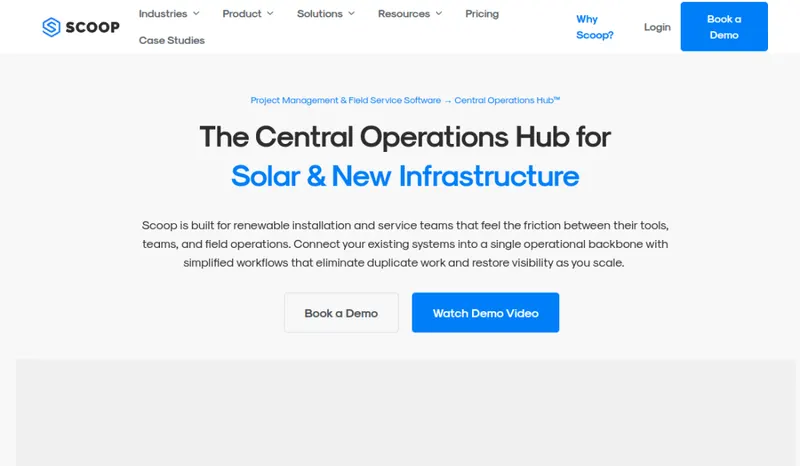
Scoop is a no-code operations platform for renewable energy and infrastructure teams, made by Scoop Robotix Inc. of Vancouver, British Columbia. Its site says the company was started by two engineers and turned its focus to solar and renewables in 2017-2018. Today it markets Scoop to commercial and residential solar, solar and wind O&M, EV charging, battery storage, modular construction, data centers, home energy services and telecom. Scoop says more than 250,000 project sites use it.
The core is project management with configurable stages, task ownership and automated actions (Scoop calls them Auto Actions) that create tasks, send emails and hand off work when set conditions are met. Field crews use a native mobile app for iOS and Android to complete checklists, capture photos and update jobs, and Scoop says the app works offline and syncs when a connection returns. Other modules cover scheduling and dispatch, LOOXY dashboards and reporting, and IMRP inventory and resource planning.
Integrations run through GLOO, Scoop's integration service, which it says offers more than 500 integration connections. Scoop has integration pages for QuickBooks Online, Zapier, Salesforce, HubSpot, NetSuite, DocuSign, CompanyCam, Aurora Solar, OpenSolar, Solargraf, Enerflo and many more. Its FAQ says onboarding is guided by a dedicated success team that helps with workflow mapping, integrations, data migration and training.
Scoop does not publish prices. Its FAQ says pricing depends on modules, workflows and installation or service volume, and every plan includes unlimited users, so office staff, technicians, partners and subcontractors can all have accounts. The trade-off: you need a sales conversation to learn the cost, and Scoop handles operations rather than design or proposals, so a solar company still needs a separate design and sales tool.
Pricing
| Tier | Price | Notes |
|---|---|---|
| Custom quote (unlimited users) | Custom quote |
No prices published. Scoop's pricing page asks for company and team details to send tailored pricing, and its FAQ says pricing depends on modules, workflows and installation or service volume. All plans include unlimited users, storage and devices. Verified against scoop.solar/pricing and scoop.solar/faq 2026-09-29.
Scoop does not publish a price, so you need a quote before you can compare it (49 of the 127 tools we list are quote-only). A missing price is not evidence of a high one. Get the quote in writing and confirm what it includes (number of users, integrations, onboarding, support) before you sign.
Pricing verified 2026-09-29. Prices can change, so confirm them with Scoop before purchasing.
What the quote depends on
Modules and workflows needed, and the volume of installations or service run through the platform.
Source: scoop.solar/faq, read 2026-10-08.
Scoop has no published monthly price we can model at your team size, so we do not estimate one: any figure here would be a guess. Ask Scoop for a quote.
Key features
Integrations
Pros
- + Unlimited users on every plan
Scoop's FAQ says all plans include unlimited users, so you can give subcontractors and partners access without paying per seat.
- + Workflow automation
Configurable project stages and Auto Actions create tasks, send emails and hand off work when set conditions are met, which cuts manual follow-up.
- + Field app that works offline
The native mobile app handles checklists, photos and job updates, and Scoop says data syncs once the device is back online.
- + Wide integration catalog
GLOO connects Scoop to accounting, CRM, design and e-signature tools, including QuickBooks Online, Salesforce, HubSpot, Aurora Solar and Zapier.
- + Covers more than solar
Scoop supports solar, battery storage, EV charging, wind O&M and telecom work, which helps contractors that run several energy service lines.
- + Guided onboarding
Scoop says each customer gets a dedicated success manager who helps with workflow mapping, integrations, data migration and role-based training.
Cons
- − No public pricing
The pricing page asks for company and team details before sending pricing, so you cannot compare cost up front.
- − Operations only
Scoop does not do system design or homeowner proposals. Solar companies typically run it next to a separate design and proposal tool.
- − Setup takes planning
Because it is no-code and highly configurable, you need to map stages, checklists and automations before it pays off.
- − Integrations are scoped per customer
Integrations are delivered through GLOO with data mappings set up for your workflows. Confirm which connections are in your quote and exactly what data syncs.
Implementation
Start with a demo and a quote, since prices are not published. Before setup, write down your project stages, the photos and checklists each job type needs, and who owns each step. Scoop assigns a success manager to guide workflow mapping, integrations, data migration and role-based training. List the tools you need connected (for example your CRM, QuickBooks Online and your design software) and confirm with Scoop how each one connects through GLOO and what data syncs. Roll out in phases, starting with one workflow, then invite field crews and subcontractors to the mobile app, since users are unlimited.
Best for / Watch out for
Best for
Solar installers, O&M providers and other energy and infrastructure contractors that need to standardize project workflows, field checklists and scheduling across office staff, crews and subcontractors
Watch out for
No published prices; it runs operations, not solar design or sales proposals, so most solar companies pair it with other tools; the no-code setup and integrations take planning up front
Available for these trades
Alternatives to Scoop
Matched on tool type, shared trades, price tier and team size.
Publishes its price: from $208 a month for the company; stronger hvac specialty fit.
Quote-only pricing, so compare on fit not cost.
Quote-only pricing, so compare on fit not cost; 14-day free trial.
Quote-only pricing, so compare on fit not cost.
Quote-only pricing, so compare on fit not cost.
Quote-only pricing, so compare on fit not cost.
User reviews
Write a review →No user reviews yet for Scoop
If you use Scoop, you can write the first review. Every review is moderated by hand before it is published.
Write the first review →Write a review of Scoop
Every review is moderated by hand before it is published, and a review can be declined. If you leave an email address, we may use it to confirm that you use Scoop.
Frequently asked questions
What is Scoop?
A no-code operations platform for solar and other energy and infrastructure contractors. It covers project workflows, automated task handoffs, field checklists, scheduling and dispatch, reporting and inventory, with a mobile app for field crews. Scoop says more than 250,000 project sites use it.
How much does Scoop cost?
Scoop does not publish prices. Its FAQ says pricing depends on the modules, workflows and installation or service volume you need, and every plan includes unlimited users. You request pricing through a form on its pricing page.
Does Scoop do solar design and proposals?
No. Scoop handles operations after the sale. It integrates with design and proposal tools such as Aurora Solar, OpenSolar, Solargraf and Enerflo instead.
What does Scoop integrate with?
Through its GLOO integration service, Scoop lists integrations with QuickBooks Online, Zapier, Salesforce, HubSpot, NetSuite, Pipedrive, DocuSign, Dropbox, Google Drive, CompanyCam, ServiceTitan, JobNimbus and many others. Scoop says GLOO offers more than 500 integration connections.
Does the Scoop mobile app work offline?
Yes, according to Scoop's FAQ: field teams can keep working offline, and data syncs when the connection returns. The app is available for iOS and Android.
Who makes Scoop?
Scoop Robotix Inc., based in Vancouver, British Columbia. Its site says the company was started by two engineers and shifted its focus to solar and renewables in 2017-2018.
Ready to try Scoop?
No published price: ask Scoop for a quote.
Visit Scoop →Do you build something that competes with Scoop?
We check Scoop against its own website and list the cons next to the pros. If you build a competing product that is not listed here, you can submit it for editorial review. An evaluation can end with or without a listing.
Listings are free. We do not accept payment for inclusion, for placement, for a score, or to remove a documented con. Read this page first and decide whether you want that.