
Kickserv Review
QuickBooks-friendly field service software for small service businesses
Fit Score
Fit Score
▸ How we scored Kickserv: 7.8/10
| Factor | Weight | Sub-score |
|---|---|---|
| Vertical fit (best trade) | 60% | 8.0/10 |
| Pricing transparency | 20% | 10.0/10 |
| Integration coverage | 20% | 5.0/10 |
Weighted composite, applied identically to every vendor; no vendor pays to change it. Full Fit Score methodology →
WrenchStack may earn a commission or a referral reward if you sign up through a tracked link on this page. The vendor pays it and we add no charge of our own. Neither is an input to the Fit Score or to how we order tools. How we make money.
Quick verdict
Kickserv is best for Small service businesses (1-15 employees) that run their books in QuickBooks and want simple scheduling and invoicing. Pricing starts at $60/mo for the company. Trade fit of 8/10 or higher: Handyman Services. 30-day free trial available.
Reviews on review sites
We do not copy third-party review scores onto this page: they change often and we could not verify them. Read Kickserv's current reviews at the source.
About Kickserv
Kickserv is field service software for small service businesses. Founder Todd Eccles, who came from a family of plumbing and HVAC businesses, launched it as ServiceSidekick in 2006 and renamed it Kickserv in 2011; EverCommerce acquired it in August 2023. It targets solo operators and small shops that want straightforward scheduling, estimating and invoicing tied to QuickBooks, without the price or learning curve of enterprise platforms.
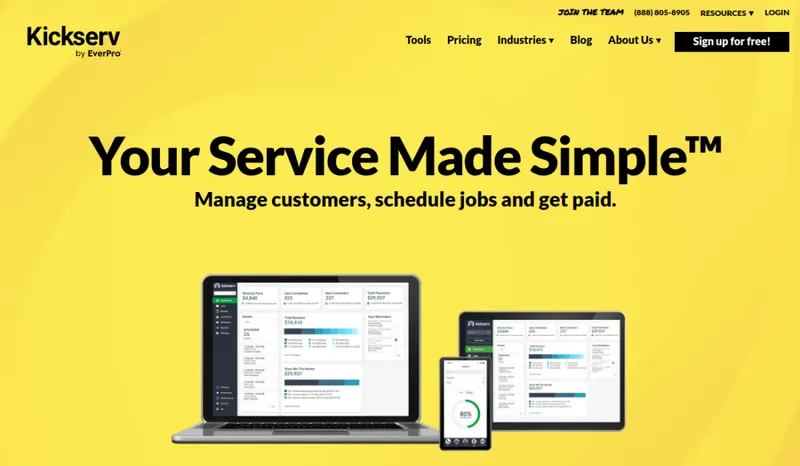
The product's strength is simplicity: a drag-and-drop calendar, contact management and a short job-to-invoice flow, with a mobile app for scheduling, time tracking, signatures and payments. Plans are sized by headcount, and Run and Scale add features: Start ($60/mo, 5 users), Run ($119/mo, 10 users) and Scale ($199/mo, 20 users) on an annual subscription, or $75, $149 and $249 a month on monthly billing; the pricing page says an annual subscription saves 20%. The pricing page offers a 30-day free trial, while Kickserv's restoration page says 14 days. QuickBooks Online integration comes with every plan; QuickBooks Desktop integration is a $50/month add-on from the Run plan. Kickserv's Terms set a one-month or one-year term that renews automatically, and fees are non-refundable.
The trade-offs: Start includes over 20 business reports, but custom reports start on Run; there's no built-in phone system, and inventory and automation are thin. Kickserv suits a small QuickBooks shop that wants to get organized and get paid, not a growing operation that needs depth.
Pricing
| Tier | Price | Notes |
|---|---|---|
| Start | $60/mo | Lowest price in this table |
| Run | $119/mo | |
| Scale | $199/mo | Highest price in this table |
Plans sized by user count: Start $60/mo (5 users), Run $119/mo (10 users), Scale $199/mo (20 users). The page has a Monthly/Annual toggle and says 'Save 20% with annual subscription'; read in a browser on 2026-10-22, these prices show with the toggle on Annual, and with it on Monthly the plans are $75, $149 and $249 a month. No per-extra-user price is published. QuickBooks Online integration from Start; QuickBooks Desktop integration is a $50/mo add-on from Run. Kickserv Kickback gives 5% off subscription fees for meeting a monthly online-payments minimum ($1,000 Start, $2,000 Run, $3,000 Scale). The pricing page offers a 30-day free trial on each plan; Kickserv's restoration page says the trial is 14 days, with no contract or credit card required. The Terms of Service set an initial term of one month or one year, chosen at sign-up, that renews automatically for the same period, and an annual term cannot switch to month-to-month before renewal. Either side can cancel by written notice, effective at the end of the current term. Separately, the billing section asks for written notice at least 15 days before the next billing date to change payment details or end the payment authorization. Fees are non-refundable. Neither the pricing page nor the Terms mention a setup fee. Verified against kickserv.com/pricing, kickserv.com/terms and kickserv.com/industries/restoration-services 2026-10-22.
Kickserv starts at $60/mo for the company (Start tier). That is a price for the company, not per user: spread across a 5-person team it works out to about $12 per user. Its starting price places it in our entry price band (under $100 per user per month). The tier prices in the table above run from $60 to $199/mo; the pricing note gives the billing terms and any other published prices. 30-day free trial.
Pricing verified 2026-10-22. Prices can change, so confirm them with Kickserv before purchasing.
Cost by crew size
Monthly cost of the cheapest Kickserv plan that allows each number of users, worked out from the plan prices and user rules on its pricing page, counting every tech as a full user. Plan prices and extra-user fees only: job, appointment and other usage limits, add-ons, setup fees and payment processing are not included; where a plan's usage limit is recorded, it is named under the figure.
| Users | Billed annually where offered | Billed monthly |
|---|---|---|
| 1 | $60/mo Start | $75/mo Start |
| 3 | $60/mo Start | $75/mo Start |
| 5 | $60/mo Start | $75/mo Start |
| 10 | $119/mo Run | $149/mo Run |
Source: kickserv.com/pricing, read 2026-10-22.
Switching from another tool? Estimate the 12-month cost of switching →
Key features
Integrations
Pros
- + Simple scheduling and invoicing
A drag-and-drop scheduling calendar and a short job-to-invoice flow are built for small shops. Test them with your own crew during the trial, especially if you are coming off paper or spreadsheets.
- + QuickBooks Online on every plan
QuickBooks Online integration is included from the Start plan ($60/mo on an annual subscription, $75 billed monthly); QuickBooks Desktop users can add the Desktop integration for $50/month from the Run plan.
- + Seat-based plans
Start is $60/mo for 5 users on an annual subscription ($75 billed monthly), and the pricing page says an annual subscription saves 20%. Plans are sized by seats (5, 10 and 20 users); Run adds dispatch mapping, GPS check-ins, custom data fields and custom reports, and Scale adds custom templates.
- + Transparent public pricing
All three plans and the number of users each includes are published, so you can evaluate without a mandatory sales call.
- + Mobile app for iOS and Android
Field techs can schedule, track time, capture digital signatures, and take payments from the app on every plan. It covers the day-to-day field workflow that a small shop needs.
- + Free trial on every plan
The pricing page offers 30 days free on each plan, long enough to run a full month of jobs and confirm the QuickBooks flow with your own data. Kickserv's restoration page says the trial is 14 days, so confirm the length when you sign up.
Cons
- − Custom reports start on Run
Start includes over 20 business reports; custom reports, custom data fields and dispatch mapping start on Run ($119/mo on an annual subscription, $149 billed monthly). Shops that want deep job-profitability or technician-performance analysis should test the reports during the trial.
- − Test the mobile app with your crew
The app is the field team's main tool, so trial it with your actual techs and devices before rolling it out.
- − Test the QuickBooks sync with your data
QuickBooks is the main reason most shops pick Kickserv, so confirm customers, invoices and payments flow the way you need during the trial; Desktop users should price the $50/month add-on.
- − No built-in phone system
There's no native VoIP, call recording, or dispatcher call routing. Shops that rely on inbound phone volume (the Workiz use case) will need a separate phone tool, adding cost and setup.
- − Thin advanced features
Inventory is light, there's no membership/service-agreement management, and automation is basic. Kickserv is built for simple small shops; businesses that need more than the 20 users Scale includes (the pricing page lists no extra-user price or larger plan) or want recurring-membership programs should ask Kickserv before committing.
- − Non-refundable fees and auto-renewing terms
Kickserv's Terms say fees are non-refundable and that the one-month or one-year term chosen at sign-up renews automatically for the same period. An annual term cannot switch to month-to-month before renewal, and cancellation by written notice takes effect at the end of the current term.
Implementation
Kickserv is built for self-service setup. Import customers (CSV or QuickBooks), set up services and price items, and connect payments. Because QuickBooks is the main reason most shops choose it, configure and test that integration first, and decide whether you need the Desktop add-on. Then run in parallel with your old system for a couple of weeks before cutting over. Field training is light, but trial the mobile app with your actual crew. Neither the pricing page nor the Terms of Service mention a setup fee. The pricing page's 30-day trial is long enough to validate the QuickBooks workflow end to end (Kickserv's restoration page says 14 days, so confirm the length at sign-up). Choose the monthly or annual term deliberately: the Terms say the term renews automatically, an annual term cannot switch to month-to-month before renewal, and fees are non-refundable.
Best for / Watch out for
Best for
Small service businesses (1-15 employees) that run their books in QuickBooks and want simple scheduling and invoicing
Watch out for
Custom reports start on the Run plan; QuickBooks Desktop sync is a paid add-on from the Run plan; no built-in phone system; thin inventory and automation; fees are non-refundable and terms renew automatically
Available for these trades
Alternatives to Kickserv
Matched on tool type, shared trades, price tier and team size.
Starts at $47 per user a month.
Starts at $45.95 a month base, more as users are added; also strong for handyman services.
Starts at $25 a month base, more as users are added; stronger painting specialty fit.
Starts at $29 a month base, more as users are added; stronger hvac specialty fit.
Starts at $59 a month base, more as users are added; stronger hvac specialty fit.
Starts at $208 a month for the company; stronger hvac specialty fit.
User reviews
Write a review →No user reviews yet for Kickserv
If you use Kickserv, you can write the first review. Every review is moderated by hand before it is published.
Write the first review →Write a review of Kickserv
Every review is moderated by hand before it is published, and a review can be declined. If you leave an email address, we may use it to confirm that you use Kickserv.
Frequently asked questions
Is Kickserv a good fit if I use QuickBooks?
Yes, that's its core use. QuickBooks Online integration is included on every plan, including Start ($60/mo on an annual subscription, $75 billed monthly); QuickBooks Desktop integration is a $50/month add-on from the Run plan. Test the flow with your own data during the free trial before you commit.
How much does Kickserv cost?
Three plans sized by users: Start at $60/mo (5 users), Run at $119/mo (10 users) and Scale at $199/mo (20 users) on an annual subscription, or $75, $149 and $249 a month billed monthly; the pricing page says an annual subscription saves 20%. The pricing page offers a 30-day free trial; Kickserv's restoration page says 14 days. QuickBooks Desktop integration is a $50/month add-on, and the Terms say fees are non-refundable.
Kickserv vs Jobber: which should I pick?
Kickserv's plans are flat-priced with users included (Start $60/mo for 5 users, Run $119/mo for 10, Scale $199/mo for 20, on an annual subscription), and QuickBooks Online integration comes with every plan. Jobber's Core plan is $29 a month billed annually for 1 user, its QuickBooks Online and Xero sync start on the Connect plan ($99 a month billed annually at 1 user), and Connect, Grow and Plus are priced by team size up to 15 users. Both publish pricing, so price your headcount on both and trial each before deciding.
What size business is Kickserv best for?
Solo operators up to the Scale plan's 20 users: small shops getting off paper and spreadsheets that want simple scheduling, estimating and invoicing tied to QuickBooks. If you need custom reporting, memberships or inventory, check them during the trial; custom reports start on Run.
Does Kickserv have a mobile app?
Yes. The iOS and Android apps let field techs schedule, track time, capture signatures and take payments. Trial it with your actual techs before rolling it out shop-wide.
Can I cancel Kickserv or get a refund?
Kickserv's Terms of Service set an initial term of one month or one year, chosen at sign-up, that renews automatically for the same period. Either side can end it by written notice, effective at the end of the current term. Separately, the billing section asks for written notice at least 15 days before the next billing date to change payment details or end the payment authorization. Fees are non-refundable, and an annual term cannot switch to month-to-month before renewal.
Ready to try Kickserv?
Pricing starts at $60/mo for the company. 30-day free trial.
Visit Kickserv →Do you build something that competes with Kickserv?
We check Kickserv against its own website and list the cons next to the pros. If you build a competing product that is not listed here, you can submit it for editorial review. An evaluation can end with or without a listing.
Listings are free. We do not accept payment for inclusion, for placement, for a score, or to remove a documented con. Read this page first and decide whether you want that.